
ChatGPT vs Claude vs Gemini for Small Business: Which AI Fits Your Workflow?
Small businesses do not need the “most powerful AI.”
They need the one they will actually use.
That difference matters.
ChatGPT, Claude, and Gemini can all help with writing, research, brainstorming, documents, and everyday business questions. On the surface, that makes them look interchangeable.
In practice, they fit different workflows.
A freelancer writing proposals may value something different from a business owner living inside Gmail and Google Docs. A marketing team reviewing long research documents may have different priorities again.
So instead of asking:
Which AI is best overall?
A more useful question is:
Which AI fits the way your small business already works?
That is what this guide focuses on.
If you have already narrowed the decision to two products, we also have dedicated comparisons for ChatGPT vs Claude and ChatGPT vs Gemini, where the differences between those specific pairs are covered in more detail.
Quick answer
For most small businesses:
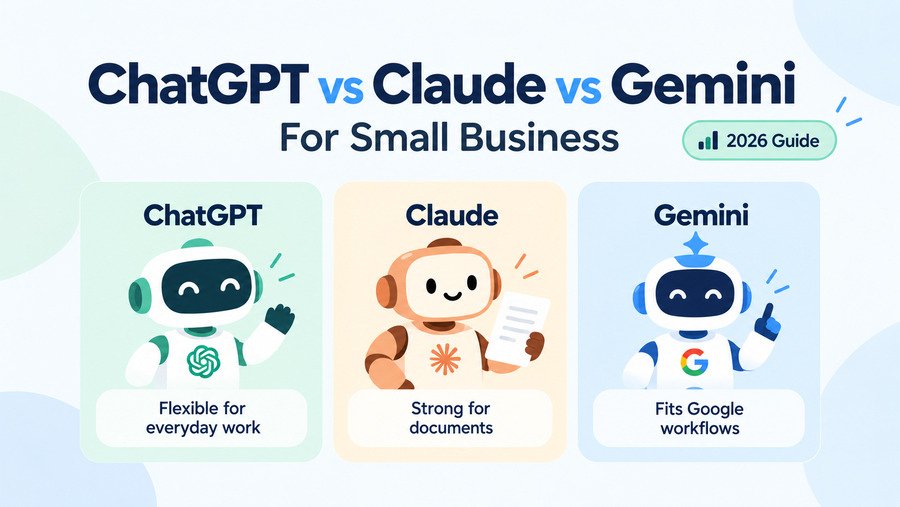
Choose ChatGPT if you want one flexible AI assistant that can handle many different types of work.
Choose Claude if a large part of your work involves writing, documents, research, or analyzing complex information.
Choose Gemini if your business already runs heavily on Gmail, Google Docs, Drive, Sheets, and other Google services.
There is no need to subscribe to all three just because they are popular.
The better choice is usually the one that removes the most friction from your existing workflow.
ChatGPT vs Claude vs Gemini at a glance
Rather than hardcoding prices into this article, the table below can pull current data directly from the WiseTechList Tools database:
| Tool | Best for | Free plan | Paid starting | Difficulty | Last checked |
|---|---|---|---|---|---|
| ChatGPT | General AI assistance for writing, research, analysis, coding, brainstorming, and everyday business work. | Yes | $8/mo (Go); Plus $20/mo | Easy | Not verified yet |
| Claude | Writing, reasoning, coding, research, and analyzing long documents or complex information. | Yes | $20/mo | Easy | Sep 2026 |
| Gemini | AI assistance for research, writing, productivity, and users who work heavily inside Google services. | Yes | $19.99/mo (Google AI Pro) | Easy | Sep 2026 |
The biggest difference is not the model
It is easy to get distracted by AI benchmarks.
One model performs better on one test. Another launches a new model. A few weeks later, the ranking changes again.
For a small business, that is rarely the most important distinction.
The bigger differences are often:
- where the AI fits into your existing software
- what kind of information you regularly give it
- whether you work mostly with short tasks or long documents
- whether several people need access
- what other business software you already use
- how often you need research, files, images, coding, or automation
The best AI assistant is the one that becomes useful without forcing you to rebuild your workflow around it.
ChatGPT: the general-purpose option
ChatGPT is the easiest of the three to describe as a general business assistant.
It can be useful across a wide range of tasks:
- writing emails
- brainstorming marketing campaigns
- analyzing files
- summarizing information
- planning content
- troubleshooting technical problems
- working with spreadsheets
- coding
- creating images
- researching topics
- drafting SOPs
- turning rough notes into structured documents
That range is its biggest advantage for a small business.
A larger organization can justify buying specialized AI software for separate departments.
A five-person company often cannot.
One flexible AI tool that works reasonably well across marketing, operations, research, and administration can be more useful than several narrow subscriptions.
Where ChatGPT fits especially well
Consider a small ecommerce business.
During one morning, the owner might need to:
- rewrite a product description
- analyze a CSV export
- brainstorm a promotion
- draft a supplier email
- troubleshoot a WordPress issue
- turn campaign notes into a checklist
Those tasks are unrelated.
That is exactly where a broad AI assistant becomes useful.
ChatGPT Business also provides a shared workspace, centralized administration, connectors to services including Google Workspace, Slack, GitHub, and Microsoft 365, and OpenAI states that business data is not used for model training by default.
Where ChatGPT can be less compelling
Breadth also means that not every workflow is uniquely optimized around ChatGPT.
If your main workload is reading and working through long documents, Claude may feel more focused.
If nearly everything happens inside Google Workspace, Gemini’s ecosystem advantage may matter more.
ChatGPT makes sense when…
You want one AI assistant for many different jobs.
That is probably the most common starting point for a small business that has not yet developed a specialized AI workflow.
For a deeper two-way comparison, see:
Claude: the document and knowledge-work option
Claude overlaps heavily with ChatGPT.
It can write, brainstorm, research, code, analyze information, and answer everyday business questions.
The reason to consider Claude is not that it belongs to a completely different product category.
It is that its product direction fits particularly well with knowledge-heavy work.
That includes:
- long reports
- customer interviews
- strategy documents
- contracts
- research notes
- documentation
- proposals
- large collections of text
- coding projects
- complex analysis
A practical example
Imagine a consulting business has:
- 12 customer interview transcripts
- a competitor report
- three internal planning documents
- notes from several meetings
The real job is not generating another paragraph of marketing copy.
It is understanding all of that information.
You might ask Claude to:
- identify repeated customer complaints
- organize them into themes
- compare them with competitor positioning
- summarize the implications
- turn the result into a strategy outline
That is the type of workflow where Claude becomes particularly interesting.
Anthropic has also been moving Claude beyond the chat window. In 2026, it introduced a small-business offering centered on connectors and workflows with tools including QuickBooks, PayPal, HubSpot, Canva, DocuSign, Google Workspace, and Microsoft 365.
That matters because small-business AI becomes much more valuable when it can work with tools the business already uses.
Claude may fit these businesses particularly well
- consultants
- agencies
- researchers
- content businesses
- software teams
- professional services
- businesses producing long proposals or reports
Where Claude may not be necessary
If most of your AI use consists of:
“Write this email.”
“Give me five social-media ideas.”
“Summarize this page.”
“Help me troubleshoot this issue.”
then Claude’s strengths may not change your workflow enough to justify maintaining another AI subscription.
This is an important point.
A good tool can still be unnecessary.
Gemini: the Google-first option
Gemini becomes much more interesting when the question changes from:
“Which chatbot do I like?”
to:
“Where does my company already work?”
For many small businesses, the answer is Google.
They use:
- Gmail
- Google Docs
- Google Drive
- Google Sheets
- Google Calendar
- Google Meet
If that describes your business, Gemini has an obvious structural advantage.
The AI is connected to the same ecosystem where much of your daily work already happens.
Why that matters
Imagine receiving a long email thread.
You need to understand what was agreed, find related files, prepare a response, and turn the result into a document.
An AI integrated with your productivity ecosystem can potentially remove some of the switching between applications.
That is a different kind of value from simply having another good chatbot.
Google’s paid AI plans provide expanded Gemini access, although Google notes that usage limits vary by feature, model, plan, and computational demand.
Gemini makes the most sense when…
Your business is already deeply invested in Google Workspace.
Examples include:
- agencies using Docs and Drive for client work
- small teams managing projects in Sheets
- businesses running communication through Gmail
- operations teams storing shared files in Drive
In those environments, integration may matter more than small differences in model behavior.
Gemini may be less compelling when…
Google is only a small part of your stack.
If you work mainly in other ecosystems and want an independent AI workspace, Gemini loses part of its natural advantage.
For the detailed two-product comparison, see:
Which one is better for everyday small-business work?
For general everyday use, ChatGPT has the clearest proposition.
It is broad enough to handle unpredictable tasks.
And unpredictable tasks are common in small businesses.
A founder may use AI for marketing at 9:00 AM, spreadsheets at 11:00 AM, hiring at 1:00 PM, and website troubleshooting at 4:00 PM.
A general-purpose assistant fits that environment naturally.
That does not mean ChatGPT is automatically the right choice.
It means versatility itself has business value when one person is responsible for many different types of work.
Which one is better for writing?
All three can write.
The more useful distinction is what kind of writing you do.
For quick everyday work such as:
- emails
- social captions
- product copy
- brainstorming
- outlines
the differences may not matter enough to choose an entirely different platform.
For work involving:
- large source documents
- long drafts
- research material
- repeated editing
- structured analysis
Claude becomes more interesting.
ChatGPT remains a strong general writing partner, while Gemini can be especially convenient when the writing already takes place inside the Google ecosystem.
So I would not choose based on a generic claim that one tool “writes better.”
Choose based on what surrounds the writing.
Which one is better for research?
This category is getting harder to separate because all three products continue adding research capabilities.
For a small business, I would look at research in two ways.
General research
If you need to:
- understand an unfamiliar topic
- analyze competitors
- generate questions
- summarize findings
- investigate business problems
all three are capable.
Research connected to your existing information
This is where workflow matters more.
Claude may appeal when the source material consists of large documents and complex information.
Gemini becomes more useful when much of the information is already stored in Google services.
ChatGPT works well when you want research to connect naturally with other tasks such as analysis, writing, files, coding, and content creation.
Which one is better for documents?
This is one of the clearer workflow differences.
If your business regularly asks AI to work through substantial documents, Claude deserves a close look.
That does not mean ChatGPT or Gemini cannot analyze files.
They can.
The distinction is that long-document and knowledge work sits particularly close to Claude’s core product positioning.
For legal, consulting, research, strategy, and documentation-heavy businesses, this can become an important consideration.
Which one is better for Google Workspace?
Gemini.
Not because it automatically wins every individual AI task.
Because integration reduces friction.
If your business runs on Gmail, Docs, Drive, Sheets, Calendar, and Meet, the value proposition is straightforward.
You are adding AI closer to where the work already happens.
This is also why comparing AI assistants entirely through benchmark scores can be misleading.
The model with the slightly better score is not necessarily the tool that saves your team more time.
Which one is better for a one-person business?
A solopreneur usually benefits most from consolidation.
Every extra subscription means:
- another monthly bill
- another interface
- another set of limits
- another place to store information
- another workflow to remember
That makes ChatGPT a sensible starting point for many one-person businesses because of its breadth.
But there are exceptions.
A freelance researcher or writer may get more value from Claude.
A consultant running everything through Google Workspace may prefer Gemini.
The job matters more than the company size.
Which one is better for a small team?
Once several people are involved, the question changes.
You should start considering:
- shared workspaces
- administration
- data policies
- access controls
- integrations
- team knowledge
- billing
- usage limits
For example, ChatGPT Business offers centralized administration and shared business workspace features. OpenAI currently requires at least two paid seats for a Business workspace.
Claude and Gemini also have organizational offerings, so businesses moving beyond individual use should compare the team plans rather than assuming the consumer subscription is the right long-term setup.
A better way to choose: start with your workflow
Here is the decision process I would use.
Choose ChatGPT if your week looks unpredictable
One day you need writing.
The next day you need spreadsheet analysis.
Then research.
Then troubleshooting.
Then images.
Then brainstorming.
You value versatility more than specialization.
Typical fit: owner-operators, marketers, freelancers, generalist teams.
Choose Claude if information is the work
Your business regularly deals with:
- long documents
- research
- analysis
- strategy
- complex writing
- coding
- knowledge-heavy projects
You want AI to help think through substantial material.
Typical fit: consultants, agencies, content teams, research-heavy businesses.
Choose Gemini if Google is already your operating system
Your business lives inside:
- Gmail
- Drive
- Docs
- Sheets
- Calendar
- Meet
Your biggest opportunity is not adding another AI website.
It is adding AI to the ecosystem your team already uses.
Typical fit: Google Workspace-heavy businesses.
Do you need more than one?
Probably not at first.
It is tempting to subscribe to ChatGPT, Claude, and Gemini simultaneously.
Each product has something the others do not.
But small businesses should be careful about turning AI experimentation into subscription sprawl.
Imagine three subscriptions that each save a little time but largely perform the same jobs.
You now have:
- three bills
- three chat histories
- three interfaces
- three usage-limit systems
- three places where business context lives
That is not automatically more productive.
Start with one.
Use it seriously.
Then identify a limitation that is costing you real time.
Only then add another tool.
When using two AI assistants actually makes sense
There are cases where two tools complement each other.
ChatGPT + Claude
This can make sense if you want ChatGPT as a broad general assistant while using Claude for document-heavy or deep writing work.
For the detailed differences between these two specifically, use our dedicated ChatGPT vs Claude comparison rather than duplicating that analysis here.
ChatGPT + Gemini
This can work for someone who likes ChatGPT as a general AI workspace but relies heavily on Google’s ecosystem.
Again, the pair-specific trade-offs are covered in our dedicated ChatGPT vs Gemini comparison.
Claude + Gemini
This is a more specialized combination.
It may make sense for a team that values Claude for document-heavy work but still wants Gemini integrated with Google services.
For most small businesses, though, I would first test whether one tool can already cover 80–90% of the work.
Free plans are good enough for testing
All three offer ways to start without immediately committing your business to another paid subscription.
That is useful because the best evaluation does not happen through feature tables.
It happens through your own tasks.
Take five real jobs from the previous week:
- an email you actually needed to write
- a document you actually needed to summarize
- a business question you actually researched
- a spreadsheet or file you actually worked with
- a repetitive task that wasted time
Run those tasks through the tools you are considering.
Then ask:
- Which required the least cleanup?
- Which fit naturally into my workflow?
- Which did I actually want to return to?
- Which solved a real problem instead of creating a new habit?
That test is more useful than choosing based on hype.
What about pricing?
AI pricing and plan limits change frequently.
Rather than hardcoding prices into this article, WiseTechList keeps the current starting-price information in the Tools database.
| Tool | Best for | Free plan | Paid starting | Last checked |
|---|---|---|---|---|
| ChatGPT | General AI assistance for writing, research, analysis, coding, brainstorming, and everyday business work. | Yes | $8/mo (Go); Plus $20/mo | Not verified yet |
| Claude | Writing, reasoning, coding, research, and analyzing long documents or complex information. | Yes | $20/mo | Sep 2026 |
| Gemini | AI assistance for research, writing, productivity, and users who work heavily inside Google services. | Yes | $19.99/mo (Google AI Pro) | Sep 2026 |
Our practical take for small businesses
If you are starting from zero, do not begin by paying for all three.
Start with the workflow that consumes the most time.
For a general-purpose business assistant, ChatGPT is an obvious place to test first.
For document-heavy work, Claude deserves serious consideration.
For a business already centered on Google Workspace, Gemini has an integration advantage that should not be ignored.
Then use the tool for actual business work for a few weeks.
If it removes friction, keep it.
If it creates another tab you rarely open, cancel it.
That is a more useful standard than asking which AI has the most impressive feature list.
ChatGPT vs Claude vs Gemini: final decision guide
| Your situation | Start with |
|---|---|
| You want one AI for many different business tasks | ChatGPT |
| You regularly work with long documents and detailed analysis | Claude |
| Your company works heavily inside Google Workspace | Gemini |
| You are a solopreneur doing many different jobs | ChatGPT |
| You run a research/content-heavy business | Claude |
| Gmail, Drive, Docs, and Sheets are central to daily work | Gemini |
| You are not sure yet | Test the free plans before adding another subscription |
This table is intentionally about workflow fit, not declaring an overall winner.
Bottom line
ChatGPT, Claude, and Gemini are increasingly capable of doing many of the same things.
That makes choosing between them both easier and harder.
Easier, because any of the three can probably help your business.
Harder, because feature lists alone no longer tell you which one fits best.
For small businesses, I would focus on three questions:
Do I need versatility?
Start with ChatGPT.
Do I work heavily with documents and complex information?
Look closely at Claude.
Does my business already live inside Google’s ecosystem?
Gemini deserves serious consideration.
And if one tool already handles most of your work well, there may be no reason to subscribe to another.
The goal is not to collect AI tools.
It is to remove work.
