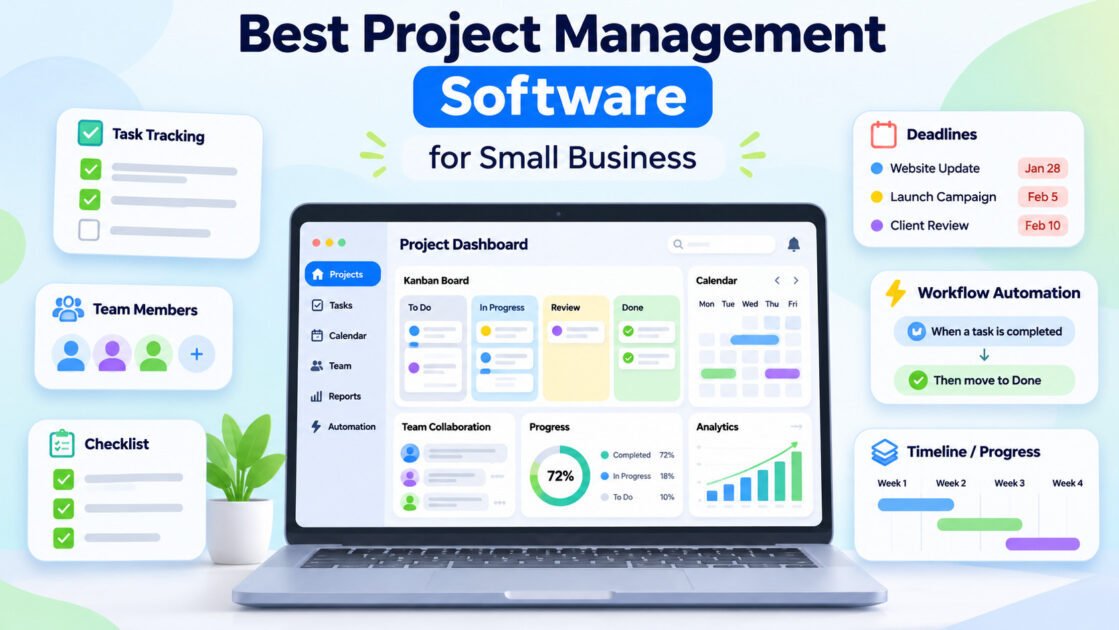
8 Best Project Management Software for Small Business in 2026
Project management software is supposed to make work easier.
But for a small business, it can easily do the opposite.
You start with a simple need:
Who is doing what, and when is it due?
Then suddenly your team is maintaining:
- boards
- dashboards
- custom fields
- automations
- status reports
- sprint views
- time tracking
- AI summaries
The software becomes another project to manage.
For a small business, the best project management software is not the platform with the most features.
It is the one that reduces coordination overhead without creating unnecessary administration.
For this guide, we focused on practical fit for small teams: how quickly people can adopt the tool, how clearly work is assigned, how well it handles recurring workflows, and whether the cost still makes sense as more people join.
Quick answer
For most small businesses:
- ClickUp — Best overall value
- Asana — Best for structured team workflows
- Trello — Best for simple project tracking
- monday.com — Best for visual workflows
- Notion — Best for combining projects and documentation
- Teamwork — Best for agencies and client work
- Zoho Projects — Best budget option
- Basecamp — Best for teams that want predictable pricing and simplicity
If you are unsure, start with ClickUp, Asana, or Trello.
Those three cover very different levels of complexity and are usually enough to reveal what your team actually needs.
Best Project Management Software at a Glance
Pricing changes frequently, so WiseTechList does not hardcode plan prices into this guide.
Use the live WiseTechList database below for current pricing and free-plan information:
| Tool | Best for | Free plan | Paid starting |
|---|---|---|---|
| ClickUp | Teams that want project management, docs, goals, time tracking, dashboards, chat, and automation in one configurable work platform. | Yes | $7/user/mo billed annually |
| Asana | Teams that want structured project management with clear ownership, deadlines, workflows, goals, and cross-project visibility. | Yes | $10.99/user/mo billed annually |
| Trello | Individuals and small teams that want simple, visual Kanban-style project and task management without a heavy setup process. | Yes | $5/user/mo billed annually |
| monday.com | Teams that want visual project and process management with customizable boards, dashboards, automations, and cross-team workflows. | Yes | $9/seat/mo billed annually |
| Notion | Teams and individuals that want documents, knowledge, databases, project tracking, and lightweight workflows in one flexible workspace. | Yes | $10/member/mo billed annually |
| Teamwork | Agencies, service providers, and client-facing teams that need project delivery, time visibility, and a clear connection between work and profitability. | Yes | Basics $9.99/user/mo billed annually (USD; 3-user minimum); Free plan available |
| Zoho Projects | Small and growing businesses that want structured project tracking at an accessible price, particularly teams already using Zoho apps. | Yes | Premium $4/user/mo billed annually (USD; $5/user/mo monthly); Free plan available |
| Basecamp | Small teams, creative studios, client-facing businesses, and distributed collaborators that value organized communication over intricate project dashboards. | Yes | Freelancer $25/mo per account (USD; flat fee, not per-user); Free plan available |
You can also browse more software in the WiseTechList Software Finder.
The Real Question: How Much Project Management Does Your Business Need?
Before choosing a tool, identify your actual coordination problem.
A five-person marketing team and a 40-person software company may both search for “project management software,” but they usually need very different products.
For a small business, there are roughly four levels.
Level 1 — We just need to see what needs to be done
You probably need:
- tasks
- owners
- deadlines
- simple boards
Start with Trello.
Level 2 — We have recurring team workflows
You probably need:
- assignments
- dependencies
- forms
- recurring work
- dashboards
- automations
Start with Asana or ClickUp.
Level 3 — Different departments work differently
You may need:
- configurable boards
- multiple views
- automations
- custom fields
- cross-team reporting
Look at monday.com or ClickUp.
Level 4 — Projects and documentation are inseparable
If your team constantly switches between project software and internal documents, look closely at Notion.
This classification is more useful than asking:
Which project management app has the most features?
1. ClickUp — Best Overall Value for Small Businesses
Best for: Small businesses that want tasks, docs, dashboards, time tracking, and automation in one system.
Current starting price:
$7/user/mo billed annually
ClickUp tries to replace several separate work tools with one platform.
Tasks are only part of it.
Teams can also work with:
- documents
- whiteboards
- goals
- calendars
- forms
- dashboards
- time tracking
- chat
- automations
Its Free Forever plan currently includes unlimited tasks and members, while paid plans add areas such as unlimited storage, Gantt charts, integrations, custom fields, native time tracking, goals, portfolios, and resource management.
Where ClickUp fits best
Imagine a 10-person company currently using:
- Trello for tasks
- Google Docs for processes
- another tool for time tracking
- spreadsheets for project reports
ClickUp becomes interesting because it may consolidate some of those workflows.
That can reduce both subscription cost and tool switching.
What we like
- broad feature set
- generous free starting point
- useful for different departments
- strong customization
- docs and project management in one environment
- built-in time tracking on paid plans
- useful dashboards and automation
What to consider
The same flexibility that makes ClickUp powerful can also make it overwhelming.
A team that simply needs:
Task → Owner → Due date → Done
may spend too much time configuring ClickUp.
Do not adopt every feature on day one.
Choose ClickUp if…
- you want one workspace for several kinds of work
- different teams need different views
- you expect your processes to become more sophisticated
- replacing multiple tools has real value
Skip ClickUp if…
- your team strongly prefers minimal software
- you only need simple Kanban boards
- nobody wants to maintain workflows and customization
WiseTechList verdict: Best overall value for a small business that expects its project-management needs to grow.
2. Asana — Best for Structured Team Workflows
Best for: Marketing, operations, and cross-functional teams that need clear ownership and repeatable processes.
Current starting price:
$10.99/user/mo billed annually
Asana’s biggest strength is clarity.
Tasks have owners.
Work has deadlines.
Projects have structure.
And teams can see how individual work connects to larger initiatives without turning the entire workspace into a highly technical system.
Asana’s current Personal plan supports up to two users, while Starter adds features such as timeline and Gantt views, dashboards, unlimited automations, forms, custom fields, and templates.
Where Asana fits best
Imagine a small marketing team managing:
- blog production
- social campaigns
- email campaigns
- product launches
- design requests
The problem is not a lack of tasks.
The problem is handoffs.
A writer finishes an article.
Then design needs the featured image.
Then someone needs to review it.
Then another person publishes it.
Asana is particularly good at making those handoffs visible.
What we like
- clean task structure
- good ownership and deadline visibility
- strong recurring workflows
- forms for incoming requests
- useful timeline and dependency features
- good cross-functional project management
What to consider
Asana’s free plan is now designed primarily for one or two users. Growing teams will likely encounter paid plans relatively quickly.
It can also feel unnecessarily structured for very small teams.
Choose Asana if…
- missed handoffs are a bigger problem than missing features
- multiple people contribute to the same workflow
- you run repeatable processes
- clarity matters more than extreme customization
Skip Asana if…
- you want an all-in-one workspace with docs and chat
- your team only needs a simple visual board
- your team is primarily one or two people
WiseTechList verdict: One of the best choices for businesses where work moves between several people.
3. Trello — Best for Simple Project Tracking
Best for: Small teams that want to start organizing work immediately without learning a complicated platform.
Current starting price:
$5/user/mo billed annually
Trello is still one of the easiest project-management tools to understand.
The basic concept is:
Cards move through columns.
For example:
Ideas → To Do → Doing → Review → Done
Almost anyone can understand that without training.
That simplicity matters.
A project-management tool only works when people actually use it.
Trello remains particularly useful for lightweight Kanban workflows, and its free tier is commonly positioned for small teams that want basic boards without more advanced work-management features.
Where Trello fits best
Imagine a small content team.
Every article is one card.
The card contains:
- writer
- deadline
- checklist
- attachments
- current stage
Everyone can see the entire production pipeline in seconds.
You may not need anything more sophisticated.
What we like
- extremely easy to understand
- quick setup
- visual workflow
- low training requirement
- good for simple recurring processes
- easy to abandon if it turns out not to fit
That last point is underrated.
Small businesses should prefer tools that are cheap to experiment with.
What to consider
Trello becomes less comfortable when projects have:
- many dependencies
- complex reporting requirements
- multiple portfolios
- detailed workload planning
- complicated cross-team workflows
At that point, simplicity starts becoming a limitation.
Choose Trello if…
- your team thinks visually
- you mainly need boards and task movement
- adoption speed matters
- processes are relatively simple
Skip Trello if…
- project dependencies matter
- management needs detailed reporting
- several teams need standardized processes
WiseTechList verdict: Best starting point when you are not yet sure you need full project-management software.
4. monday.com — Best for Visual Workflows
Best for: Teams that want customizable, highly visual workflows without building everything from scratch.
Current starting price:
$9/seat/mo billed annually
monday.com sits somewhere between a simple project board and a broader work-management platform.
Its boards can represent many types of work:
- projects
- marketing campaigns
- sales processes
- recruiting
- operations
- editorial calendars
- product launches
Current plans emphasize configurable boards, multiple views, automation, and workflow management, with free use available for very small teams.
Where monday.com fits best
Suppose your sales team wants one workflow.
Marketing wants another.
Operations wants another.
But management wants visibility across all three.
monday.com is appealing because each department can shape its own board while still working inside the same platform.
What we like
- visually approachable
- customizable boards
- useful templates
- good automation capabilities
- multiple views
- works across departments
What to consider
Flexibility can create inconsistency.
If every department builds completely different systems, you may end up with several mini-applications rather than one coherent workspace.
Small businesses should standardize the basics:
- status names
- ownership
- due dates
- priority fields
before expanding customization.
Choose monday.com if…
- visual workflow design matters
- several teams need different processes
- automation can remove repetitive administration
Skip monday.com if…
- you mainly need a simple task list
- your team dislikes configuration
- everyone already works effectively in another ecosystem
WiseTechList verdict: Best for teams that want workflow flexibility without moving into highly technical project software.
5. Notion — Best for Projects and Documentation Together
Best for: Small businesses where internal documentation, knowledge, and project work are closely connected.
Current starting price:
$10/member/mo billed annually
Notion approaches project management differently.
It is not primarily a traditional project-management application.
It is a workspace.
A single Notion environment can contain:
- company wiki
- SOPs
- meeting notes
- project databases
- content calendars
- product documentation
- task lists
- research
That makes it especially valuable for small teams that constantly lose context between documents and project tools.
Where Notion fits best
Imagine a website redesign.
In a conventional setup:
- tasks live in project-management software
- requirements live in Google Docs
- research lives somewhere else
- meeting notes live in another document
In Notion, all of those can live together.
The project does not only show what needs to happen.
It can also show why.
What we like
- excellent documentation environment
- flexible databases
- tasks and knowledge can stay together
- useful templates
- strong fit for startups and knowledge-heavy teams
- easy to create internal wikis
What to consider
Notion’s flexibility means users can build systems that are far more complicated than necessary.
It is also not as naturally structured for sophisticated project management as dedicated tools such as Asana.
Choose Notion if…
- documentation matters as much as task tracking
- your company needs a wiki anyway
- projects depend heavily on research and written context
Skip Notion if…
- advanced dependencies and resource planning matter
- you want strict project-management structure
- your team tends to overbuild databases
WiseTechList verdict: Best when project information and company knowledge should live in the same place.
6. Teamwork — Best for Agencies and Client Work
Best for: Agencies, consultants, and service businesses managing work for external clients.
Current starting price:
Basics $9.99/user/mo billed annually (USD; 3-user minimum); Free plan available
Many project-management tools assume the team doing the work and the organization paying for the work are the same company.
Agencies operate differently.
They need to know:
- which client owns the project
- how much time is being spent
- whether work is billable
- whether the project is still profitable
- what the client is allowed to see
That is where Teamwork becomes more interesting than a generic task manager.
Recent small-business comparisons continue to position Teamwork strongly around client work, time tracking, and agency-style project management.
Where Teamwork fits best
Imagine an agency with 15 clients.
Each client has:
- recurring tasks
- campaigns
- deadlines
- meetings
- deliverables
- billable hours
A generic project tool can track those tasks.
Teamwork is more naturally designed around the client relationship surrounding those tasks.
What we like
- client-focused workflow
- project and task management
- time tracking
- useful for agencies
- helps connect work to client delivery
What to consider
If your company has no client-service workflow, many of Teamwork’s advantages become less important.
Choose Teamwork if…
- clients are central to your project structure
- time tracking matters
- profitability and billable work matter
- you run an agency or service company
Skip Teamwork if…
- all projects are internal
- your team mainly needs straightforward task management
WiseTechList verdict: A much better fit for agencies than choosing a general project-management tool just because it is more popular.
7. Zoho Projects — Best Budget Option
Best for: Price-conscious small businesses, especially companies already using Zoho products.
Current starting price:
Premium $4/user/mo billed annually (USD; $5/user/mo monthly); Free plan available
Zoho Projects is easy to overlook.
It does not receive the same attention as Asana, ClickUp, or monday.com.
But for a small company watching software costs closely, that can be a mistake.
Zoho Projects provides conventional project-management capabilities while fitting naturally into the broader Zoho ecosystem.
Current comparisons continue to position Zoho Projects among the lower-cost paid project-management options.
Where Zoho Projects fits best
The value increases significantly if the company already uses:
- Zoho CRM
- Zoho Books
- Zoho Campaigns
- other Zoho applications
Instead of adding another disconnected vendor, the business can keep more work inside one ecosystem.
What we like
- competitive pricing
- conventional project-management features
- useful for cost-sensitive teams
- good ecosystem fit for Zoho users
What to consider
The interface and overall product experience may feel less polished than some larger competitors.
The main advantage is practical value, not design.
Choose Zoho Projects if…
- software budget matters
- your company already uses Zoho
- you want traditional project-management functionality
Skip Zoho Projects if…
- user experience is your top priority
- your organization has no interest in the Zoho ecosystem
WiseTechList verdict: One of the more practical options for businesses trying to control software spending.
8. Basecamp — Best for Simplicity and Predictable Team Costs
Best for: Small businesses that want a straightforward shared workspace and dislike complicated per-feature systems.
Current starting price:
Freelancer $25/mo per account (USD; flat fee, not per-user); Free plan available
Basecamp has always taken a different approach to project management.
Instead of encouraging teams to create highly customized systems, it focuses on a relatively opinionated set of collaboration tools.
That can include:
- to-dos
- messages
- files
- schedules
- project communication
Its pricing structure is also worth examining for teams because Basecamp has offered flat-rate options alongside other plans, which can change the economics as the number of users grows.
Where Basecamp fits best
Imagine a company that is tired of project software becoming increasingly complicated.
They do not need:
- 40 custom fields
- complex dashboards
- sophisticated portfolio management
- detailed Agile analytics
They need a shared place where people know:
- what is happening
- what they need to do
- when things are due
- where discussions happened
Basecamp’s simplicity can become an advantage.
What we like
- straightforward philosophy
- built around communication and project coordination
- less temptation to over-engineer workflows
- pricing can be attractive as team size grows
What to consider
Teams needing sophisticated workflow automation or analytics may outgrow it.
Basecamp is intentionally not trying to be every kind of business application.
Choose Basecamp if…
- you actively want simpler software
- team communication is a major project problem
- predictable pricing becomes important as headcount grows
Skip Basecamp if…
- detailed reporting matters
- automation matters
- you need highly customized workflows
WiseTechList verdict: Worth considering specifically because it refuses to become as complicated as many competitors.
Which Project Management Software Should You Choose?
Here is the shortest version.
Choose ClickUp if you want the most functionality for the money
It is particularly attractive when one platform can replace several separate tools.
Choose Asana if your biggest problem is coordination
If work constantly moves between people and departments, Asana’s structure can reduce missed handoffs.
Choose Trello if you are not sure you need project-management software
Start simple.
If Trello solves the problem, stop there.
Do not buy complexity you do not need.
Choose monday.com if every department works differently
It gives teams significant flexibility while keeping them inside a shared platform.
Choose Notion if context is constantly getting lost
If tasks, documentation, SOPs, research, and meeting notes need to stay connected, Notion is difficult to ignore.
Choose Teamwork if clients are paying for the work
Agency project management is different from internal project management.
Use software designed around that reality.
Choose Zoho Projects if cost matters
Especially if your business already uses the Zoho ecosystem.
Choose Basecamp if your team is tired of managing the project-management tool
Sometimes fewer capabilities are a feature.
The Small-Business Seat Cost Test
Here is a simple calculation many software comparisons ignore.
A tool that costs:
$10 per user per month
does not really cost $10.
For a 10-person team:
$10 × 10 × 12 = $1,200 per year
For 25 people:
$10 × 25 × 12 = $3,000 per year
And that is before:
- higher plans
- AI add-ons
- storage
- integrations
- contractors
- additional workspaces
This is why per-seat pricing matters much more than the headline number.
Before choosing a platform, calculate the cost at:
- your current team size
- your expected team size next year
- your expected paid-plan level
Do not optimize for today’s cheapest bill.
Optimize for the likely system you will still be using in 12 months.
The 30-Minute Trial We Recommend
Do not test a project-management tool by clicking around an empty workspace.
That tells you almost nothing.
Instead, take one real process from your business.
For example:
Publishing a blog post
Create this workflow:
- Topic approved
- Brief prepared
- Draft written
- Editor review
- Featured image
- SEO check
- Publish
- Social promotion
Assign real owners.
Add real deadlines.
Then ask:
Can everyone understand the workflow?
If you need a meeting just to explain the board, that is a warning sign.
Can someone see what they need to do today?
That is more important than having 20 dashboard views.
Can management see what is stuck?
A project tool should reveal bottlenecks, not hide them.
Can the workflow be reused next week?
If yes, the software is starting to create leverage.
This simple test is more useful than comparing 100 features.
What Small Businesses Commonly Get Wrong
Mistake 1 — Choosing for the largest possible future
A six-person company does not need software designed around what it might become at 500 employees.
Solve today’s coordination problems while leaving reasonable room to grow.
Mistake 2 — Copying another company’s workflow
A YouTube video titled:
“The perfect ClickUp setup”
is usually showing someone else’s company.
Your workflow should reflect how your team actually works.
Mistake 3 — Too many statuses
You probably do not need:
- Pending
- Ready
- Queued
- Planned
- Scheduled
- Awaiting
- In progress
- Active
if everyone interprets them differently.
Start with:
To Do → Doing → Review → Done
Add complexity only when it solves a real problem.
Mistake 4 — Tracking everything
Not every small action deserves a task.
Project-management software becomes exhausting when employees need to document work instead of doing it.
Track work that benefits from:
- ownership
- visibility
- deadlines
- collaboration
- repeatability
Mistake 5 — Buying AI before fixing the workflow
AI can summarize project activity.
It cannot fix a workflow where nobody knows who owns the task.
Get the basic operating system right first.
Then automate it.
How We Chose the Best Project Management Software
WiseTechList evaluates software based on practical fit rather than simply counting features.
Our methodology follows the WiseTechList Editorial Process.
For project-management software, we pay particular attention to:
Adoption
Can a normal small-business employee understand the tool without extensive training?
Task clarity
Can people quickly answer:
- What do I own?
- When is it due?
- What is blocked?
Workflow repeatability
Can a successful process become a reusable template?
Collaboration
Does the tool reduce communication overhead, or simply create another place to check?
Reporting
Can managers see bottlenecks without constantly asking employees for updates?
Integrations
Does it connect with the tools the business already uses?
Cost at scale
We consider what happens when a five-person team becomes a 15-person team.
Per-seat pricing can change the economics significantly.
Complexity
Features have a cost even when they are included for free.
That cost is:
- training
- configuration
- maintenance
- cognitive load
We treat unnecessary complexity as a real disadvantage.
Frequently Asked Questions
What is the best project management software for a small business?
For most small businesses, ClickUp is our best overall value pick because it combines broad project-management functionality with documents, multiple views, time tracking, dashboards, and automation.
Current pricing:
$7/user/mo billed annually
However, Asana may be a better choice for teams prioritizing structured handoffs, while Trello is often better for businesses that want simplicity.
What is the easiest project management software?
Trello is one of the easiest options to understand.
Its card-and-board model works especially well for small teams that need visibility without complex project structures.
What is the best free project management software?
There is no universal winner because free-plan restrictions differ significantly.
ClickUp, Trello, Asana, monday.com, Notion, and other tools all approach free usage differently.
Check current limits in the WiseTechList Free Plan Limits Database before choosing a platform primarily because it is free.
Is ClickUp better than Asana?
Neither is universally better.
Choose ClickUp if you want broader functionality and customization.
Choose Asana if you value structured team workflows and clear handoffs more than having everything in one application.
Is Notion a project management tool?
Yes, but project management is only one part of Notion.
Its real strength is combining projects with documentation, knowledge management, databases, and internal information.
That makes it particularly useful for knowledge-heavy small businesses.
Do very small businesses need project management software?
Not always.
If two people can reliably coordinate using a shared task list, adding a sophisticated platform may create more administration than value.
Use project-management software when work starts becoming difficult to track across:
- people
- deadlines
- clients
- departments
- recurring processes
Final Decision Guide
| Your situation | Start with |
|---|---|
| You want the strongest all-round value | ClickUp |
| Work constantly moves between team members | Asana |
| You want the simplest possible visual workflow | Trello |
| Departments need customizable workflows | monday.com |
| Projects and documentation should live together | Notion |
| You manage client work | Teamwork |
| Budget is the main constraint | Zoho Projects |
| You want less complexity and predictable team costs | Basecamp |
Our Pick for Most Small Businesses
For most small businesses, we would start with ClickUp.
Not because every company needs all of its features.
Most do not.
But it offers enough flexibility to start relatively simple and grow into more sophisticated workflows later.
There is one important condition:
Do not configure everything.
Start with:
- tasks
- owners
- deadlines
- a few statuses
- one or two useful views
Add automation, dashboards, docs, goals, and other features only when they remove real work.
If your team finds ClickUp too busy, move in the opposite direction.
Try Trello.
If the bigger problem is structured handoffs between departments, test Asana.
The goal is not to find the project-management platform with the most capabilities.
The goal is to find the least complicated system that keeps your work moving.
That is usually the better software decision.
Bottom Line
The best project-management tool depends on where coordination breaks down in your business.
ClickUp is strong for all-in-one work management.
Asana is strong for structured workflows and team handoffs.
Trello is strong for simple visual task management.
monday.com is strong for customizable visual workflows.
Notion is strong when projects and documentation overlap.
Teamwork makes sense for agencies and client-service companies.
Zoho Projects is worth considering when software cost matters.
Basecamp is attractive when simplicity itself is the requirement.
Do not choose based on the longest feature list.
Choose the tool that makes it easiest for your team to answer three questions:
What needs to be done?
Who owns it?
What is blocking it?
Everything else is secondary.
Browse more software: Software Finder
Compare free-plan limits: WiseTechList Free Plan Limits Database
Read more practical software guides: Latest Guides