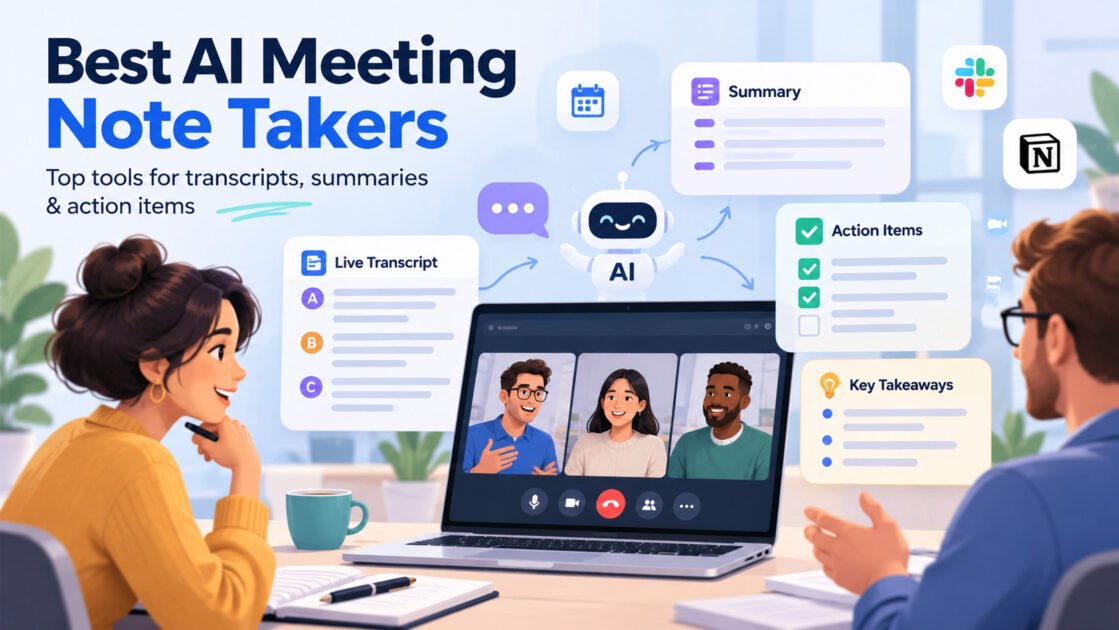
Best AI Meeting Note Takers for Small Business in 2026
Meetings rarely fail because nobody took notes.
They fail because nobody does anything with the notes afterward.
A customer mentions an important requirement.
Someone promises to send a proposal.
A deadline changes.
A sales lead raises an objection.
Then the meeting ends, everyone moves to the next call, and half of that context disappears.
AI meeting note takers are supposed to solve this.
But there is now a second problem:
There are too many of them.
Fireflies.ai, Otter.ai, Fathom, tl;dv, Avoma, and dozens of newer tools can all record meetings, generate transcripts, summarize conversations, and identify action items.
So choosing based on transcription alone is becoming less useful.
For a small business, the better question is:
What happens to the information after the meeting ends?
That is how we compared the tools in this guide.
Quick answer
If you want the short version:
Choose Fireflies.ai if you want a flexible meeting assistant with strong integrations and a searchable meeting workspace.
Choose Otter.ai if real-time transcription and searchable conversation notes are your main priorities.
Choose Fathom if you want a simple meeting assistant that keeps post-meeting work lightweight.
Choose tl;dv if recording, transcribing, sharing, and reviewing meetings across a team is the main job.
Choose Avoma if meetings are closely tied to sales, customer success, coaching, and CRM workflows.
There is no universal winner.
The best meeting note taker depends on what you need the meeting to become afterward.
AI meeting note takers at a glance
Use the WiseTechList database for all pricing:
[wtl_tools_table tools="fireflies-ai,otter-ai,fathom,tldv,avoma" columns="tool,best_for,free_plan,starting_price,difficulty,last_verified"]This is preferable to manually writing prices into the article because AI software pricing changes frequently.
What actually makes an AI meeting note taker useful?
Almost every product in this category can now do some version of:
- record meetings
- transcribe conversations
- generate summaries
- identify action items
- search transcripts
- share notes
Those features are becoming table stakes.
The bigger differences appear after transcription.
For example:
Can the tool update your CRM?
Can it send tasks to your project-management system?
Can you search across several meetings?
Can your team ask questions about past conversations?
Can sales managers review patterns across calls?
Can someone quickly catch up on a meeting they missed?
That is where the products start separating.
1. Fireflies.ai — best all-around choice for small business workflows
Fireflies.ai is the most balanced option in this group for small businesses that want meeting notes to connect with the rest of their software stack.
It can capture meetings through Zoom, Google Meet, Microsoft Teams, Webex, uploaded files, mobile recordings, and its desktop app. Fireflies also generates summaries, transcripts, action items, and searchable meeting records.
But the more interesting part is what happens afterward.
Fireflies can connect meeting information to CRM platforms, project-management tools, collaboration apps, dialers, and applicant-tracking systems. It can also create tasks or route meeting information into other systems.
Current starting price
[wtl_tool_price slug="fireflies-ai"]Where Fireflies fits best
Imagine an agency running discovery calls.
A client meeting happens.
Fireflies captures it.
Then the team can:
review the summary
search the transcript
extract action items
send notes to the CRM
create follow-up tasks
share key moments internally
That is more valuable than simply producing a transcript.
What we like
- works across major meeting platforms
- searchable meeting workspace
- AI summaries and action items
- broad integration ecosystem
- CRM and project-management workflows
- meeting analytics
- useful across sales, recruiting, internal meetings, and client work
What to consider
Fireflies has grown beyond a simple note-taking tool.
That is useful if you need those capabilities.
It may be more than necessary if your only requirement is:
“Give me a transcript after Zoom.”
Best for
Small businesses that want meeting data to connect with CRM, tasks, and other business workflows.
2. Otter.ai — best for real-time transcription and searchable conversations
Otter.ai has been closely associated with AI transcription for years.
Its meeting assistant can automatically join Zoom, Google Meet, and Microsoft Teams meetings, record conversations, transcribe them in real time, and generate meeting summaries.
Otter also supports speaker identification, custom vocabulary, transcript editing, searchable notes, calendar connections, and sharing features.
Current starting price
[wtl_tool_price slug="otter-ai"]Where Otter fits best
Consider someone who spends much of the day in conversations:
- interviews
- internal meetings
- research calls
- client discussions
- lectures
- workshops
For that user, the transcript itself may be the main asset.
You want to know:
Who said this?
When did they say it?
What was discussed?
Can I search for it later?
That is where Otter remains easy to understand.
What we like
- strong real-time transcription focus
- speaker identification
- searchable transcripts
- custom vocabulary
- calendar integrations
- good for conversation-heavy work
What to consider
If your goal is to automate substantial post-meeting business workflows, tools with deeper workflow or CRM orientation may be a better fit.
Best for
Teams and individuals that value accurate, searchable conversation records and live transcription.
3. Fathom — best for keeping meeting follow-up simple
Fathom has become popular partly because it tries to make meeting assistance feel lightweight.
This matters more than it sounds.
Many businesses do not need a full conversation-intelligence platform.
They need:
meeting happens
→ important points are captured
→ summary arrives
→ follow-up becomes easier
That is a different buying requirement.
Current starting price
[wtl_tool_price slug="fathom"]Where Fathom fits best
Imagine a consultant with five customer calls in one day.
They do not necessarily need complex team analytics.
They need to:
- remember what was promised
- capture important points
- prepare the next email
- share useful notes
- avoid writing everything manually
In that situation, simplicity is an advantage.
What we like
- focused meeting workflow
- straightforward summaries
- useful for individual professionals
- reduces manual note-taking
- easier to adopt than heavier sales-intelligence platforms
What to consider
The lighter experience may be less attractive for organizations that want deep coaching, analytics, CRM automation, or organization-wide conversation intelligence.
Best for
Consultants, freelancers, founders, and small teams that want useful meeting notes without adding another complex system.
4. tl;dv — best for teams that record and review a lot of meetings
tl;dv focuses heavily on meeting recording, transcription, summaries, and making recorded conversations easier to revisit.
It currently supports Zoom, Google Meet, and Microsoft Teams and offers meeting transcription in more than 30 languages. Its free offering includes unlimited meeting transcription and video recording according to the company.
Current starting price
[wtl_tool_price slug="tldv"]Where tl;dv fits best
The interesting use case is not necessarily the person who attended the meeting.
It is everyone who did not.
Imagine a distributed team.
Someone misses a customer call.
Another person only needs the five minutes where pricing was discussed.
A manager wants to review several customer conversations.
A new employee needs context from previous meetings.
Recording becomes valuable when people can navigate it without watching a one-hour video from beginning to end.
What we like
- strong recording and transcription workflow
- Zoom, Meet, and Teams support
- multilingual transcription
- easy sharing of recorded meetings
- useful for distributed teams
- helpful for asynchronous catch-up
What to consider
If your biggest requirement is automatically updating sales systems or running complex post-meeting workflows, another product may be a better starting point.
Best for
Remote and distributed teams that need meetings to become searchable, shareable knowledge.
5. Avoma — best for sales and customer-facing teams
Avoma goes further into sales and customer-conversation workflows.
Its AI Meeting Assistant provides recording, real-time transcription, AI-generated notes, Smart Chapters, follow-up emails, CRM updates, and an AI assistant for querying meeting information.
Avoma currently supports real-time transcription in more than 75 languages and can automate CRM field updates based on meeting content.
Current starting price
[wtl_tool_price slug="avoma"]Where Avoma fits best
Imagine a small B2B sales team.
The meeting is not just a conversation.
It contains:
- deal status
- objections
- pain points
- competitor mentions
- next steps
- buying signals
- follow-up commitments
Those details need to move into a sales process.
Avoma can automatically create meeting notes, draft follow-up emails, and update CRM information.
That makes it fundamentally different from buying a transcription tool only.
What we like
- sales-oriented meeting workflow
- AI-generated notes
- follow-up email generation
- CRM data entry
- meeting intelligence
- useful for coaching and deal reviews
- strong fit for sales and customer-success teams
What to consider
If you only need transcripts for occasional meetings, much of Avoma’s value proposition may be unnecessary.
Best for
Sales, account-management, and customer-success teams that want conversation data connected to revenue workflows.
Which AI meeting note taker is easiest to start with?
For a small business, adoption matters.
A technically impressive meeting assistant has no value if half the team refuses to use it.
If your requirements are simple, I would start with:
Fathom or Otter.ai.
If you already know meetings need to feed other systems, I would look more closely at:
Fireflies.ai.
If meeting conversations directly affect sales pipelines and CRM records:
Avoma becomes more interesting.
And if meeting recordings are mainly part of distributed team knowledge:
tl;dv deserves a closer look.
Which one is best for sales calls?
For basic sales-call notes:
Fireflies.ai can work very well.
For teams where meeting intelligence becomes part of the actual sales process:
Avoma is more specialized.
This distinction matters.
A three-person agency probably does not need enterprise-style conversation intelligence.
A 20-person B2B sales team may find it extremely useful.
The software should match the operational maturity of the team.
Which one is best for customer interviews?
I would prioritize:
Otter.ai for searchable transcripts.
Fireflies.ai if interview insights need to flow into other systems.
tl;dv when recordings need to be reviewed or shared by people who were not present.
Customer interviews produce valuable qualitative data.
The mistake is recording them and then never looking at them again.
Which one is best for internal meetings?
This depends on what you want internal meetings to become.
If the goal is simply documentation:
Otter.ai or Fathom may be enough.
If the goal is:
meeting → decisions → action items → project tasks
Fireflies.ai becomes more interesting.
If the goal is creating a searchable archive for a distributed organization:
tl;dv is attractive.
Do you actually need an AI meeting note taker?
Not everyone does.
If you have two short internal meetings each week, buying another SaaS subscription may not make sense.
Most video-conferencing products already provide some recording, captioning, transcription, or AI functionality.
A dedicated meeting assistant becomes more useful when you have a repeated problem.
Examples:
- people forget decisions
- follow-up emails take too long
- CRM data is incomplete
- people repeatedly ask what happened in meetings
- customer insights are difficult to find
- employees spend too much time writing notes
- sales managers need to review conversations
If none of those problems exists, you may not need another tool.
The hidden cost: another meeting database
There is an overlooked cost to AI meeting software.
Every new meeting assistant creates another place where company information lives.
That can include:
- customer conversations
- internal discussions
- product plans
- financial information
- employee information
- sales calls
- strategy discussions
So before choosing based on AI features, check:
- data retention
- recording consent
- administrator controls
- access permissions
- deletion options
- security certifications
- whether recordings are necessary
- who can access transcripts
Meeting AI is not just productivity software.
It can become a significant repository of business knowledge.
Bot or no bot?
Another practical issue is how the software joins meetings.
Some meeting assistants appear as a participant.
Others can record through desktop software, browser extensions, native integrations, or local audio.
This affects user experience.
A visible meeting bot is usually fine for scheduled business calls where recording is expected.
It can feel awkward in:
- sensitive conversations
- interviews
- first meetings with new clients
- small informal calls
Fireflies, for example, now supports several capture methods including its meeting bot, Chrome extension, desktop app, mobile app, and uploaded recordings. Fireflies Knowledge Base
So “how does it capture the meeting?” should be part of your evaluation.
Don’t compare only transcription accuracy
This is probably the biggest buying mistake in this category.
Suppose Tool A is slightly better at transcription.
But Tool B automatically:
extracts decisions
→ updates your CRM
→ creates tasks
→ sends the summary to Slack.
Which one saves more time?
Probably Tool B.
The transcript is only an intermediate output.
The business value comes from what happens next.
A better way to test these tools
Do not run a synthetic 10-minute meeting and compare transcripts.
Use one real week of meetings.
Then evaluate each tool on five questions.
1. Did it capture the important information?
Not every word.
The important information.
2. Did the summary reduce review time?
A transcript that requires 40 minutes to read has not saved much time.
3. Did it identify useful action items?
Can someone clearly see:
who needs to do what next?
4. Did the information go somewhere useful?
For example:
CRM
project management
Slack
email
knowledge base.
5. Did anyone actually use the notes later?
This is the most important test.
If nobody opens the transcript again, you may be paying for an archive rather than productivity.
Free plan vs paid plan
Most products in this category offer a way to test the software before committing.
Use the database-driven table for current plan information:
[wtl_tools_table tools="fireflies-ai,otter-ai,fathom,tldv,avoma" columns="tool,free_plan,starting_price,last_verified"]Do not upgrade simply because you reach one limit.
First identify which paid capability solves a real workflow problem.
For example:
More transcription minutes
may matter.
But:
CRM synchronization
could be far more valuable.
The right upgrade depends on where your current workflow breaks.
Which one should you choose?
Here is the practical WiseTechList decision guide.
| Your situation | Start with |
|---|---|
| You want a balanced all-around meeting assistant | Fireflies.ai |
| Real-time transcription is the main priority | Otter.ai |
| You want simple meeting notes without much complexity | Fathom |
| Your team frequently reviews and shares recorded meetings | tl;dv |
| Meetings are tightly connected to sales and CRM | Avoma |
| You only have a few meetings each week | Test your existing video platform first |
Our pick for most small businesses
For a typical small business, Fireflies.ai is the most balanced place to start.
Not because it is universally the best transcription engine.
Because it sits comfortably between simple note-taking and more advanced workflow automation.
It can capture meetings in several ways, produce searchable meeting records, and connect the resulting information to CRM, collaboration, and project-management systems. Fireflies.ai
That combination is useful when the objective is:
turn conversations into work.
For teams focused primarily on transcription, Otter may be simpler.
For sales organizations, Avoma may be more valuable.
For distributed teams using recordings as shared knowledge, tl;dv deserves serious consideration.
Bottom line
The best AI meeting note taker is not the one that produces the longest transcript.
It is the one that reduces what happens after the meeting.
If the meeting ends and someone still has to:
write the summary
→ copy information into the CRM
→ create tasks
→ send follow-ups
→ explain the meeting again to someone who missed it
then there is still work left to automate.
Choose your meeting assistant based on that workflow.
Not on who can transcribe another Zoom call.