

Microsoft Clarity Review: Pricing, Pros, Cons & Best For
Understanding how visitors click, scroll, navigate, and get stuck on websites.
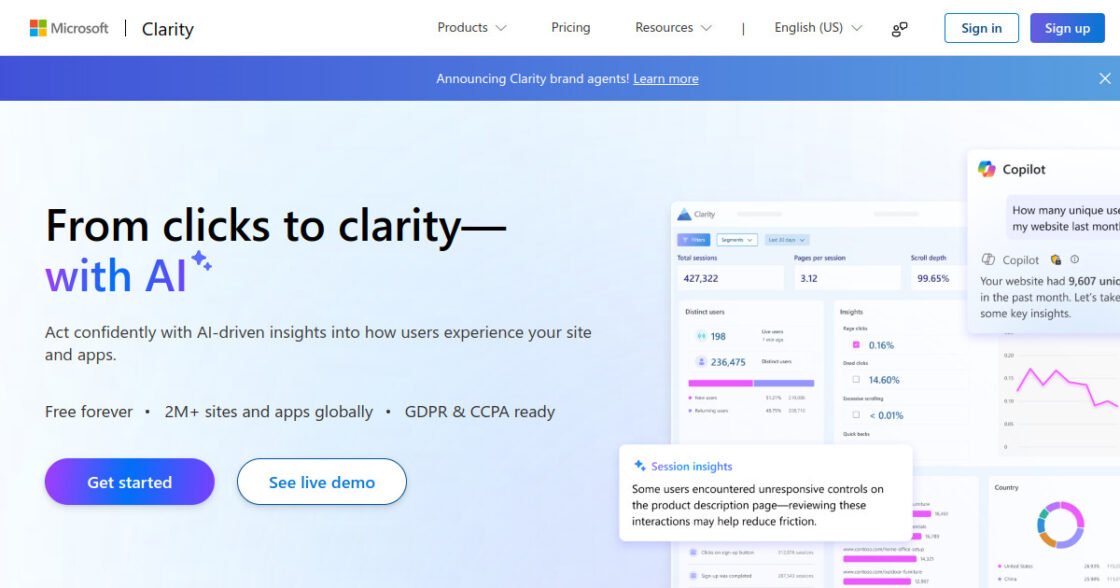
Free forever with session recordings, heatmaps, and AI-assisted behavioral insights.
It is strongest for behavior analysis and does not replace a full marketing analytics platform.
What can you use Microsoft Clarity for?
Should you use Microsoft Clarity?
Microsoft Clarity is one of the easiest ways for a small business to add heatmaps and session recordings without another monthly subscription. It works particularly well alongside Google Analytics or another traffic analytics tool rather than replacing one.
What we like
- Free forever
- Session recordings
- Heatmaps
- AI summaries and insights
- Easy to add to most websites
What to consider
- Not a full attribution platform
- Less suited to complex business intelligence
- Behavioral data still needs interpretation
Overview
Microsoft Clarity is a free behavioral analytics platform with session recordings, heatmaps, AI summaries, and user-experience insights for websites and apps.
What is Microsoft Clarity?
Microsoft Clarity is a free behavior-analytics tool for understanding how visitors interact with websites through session recordings, heatmaps, and automated behavioral insights.
Where Microsoft Clarity fits in a small business workflow
Clarity fits website owners who want a low-cost way to investigate clicks, scrolling, dead clicks, rage clicks, and navigation friction alongside their regular analytics platform. It is particularly useful as a complementary diagnostic tool for landing pages and conversion paths.
When Microsoft Clarity may not be the right fit
Clarity may not be the right fit as your only analytics platform because it is focused on behavior rather than complete acquisition and business reporting. Teams needing advanced experimentation or broader product analytics may need additional tools.
Who is Microsoft Clarity best for?
Available on: Web.
Who should choose it?
Choose Microsoft Clarity if you want to see how real visitors interact with your website and identify usability or conversion problems without paying for behavioral analytics.
Who should skip it?
Skip it as your only analytics tool if you need detailed acquisition, revenue attribution, or advanced marketing reporting.
Similar tools to consider

Website and app analytics for businesses that need traffic, acquisition, engagement, and conversion reporting.
View details
Behavior analytics and qualitative feedback for teams improving conversion and user experience.
View details
Businesses that want strong analytics while maintaining greater control over their data and hosting.
View detailsPricing and core product details were last checked on Sep 17, 2026. Software pricing and features can change, so confirm important details on the official website before purchasing.