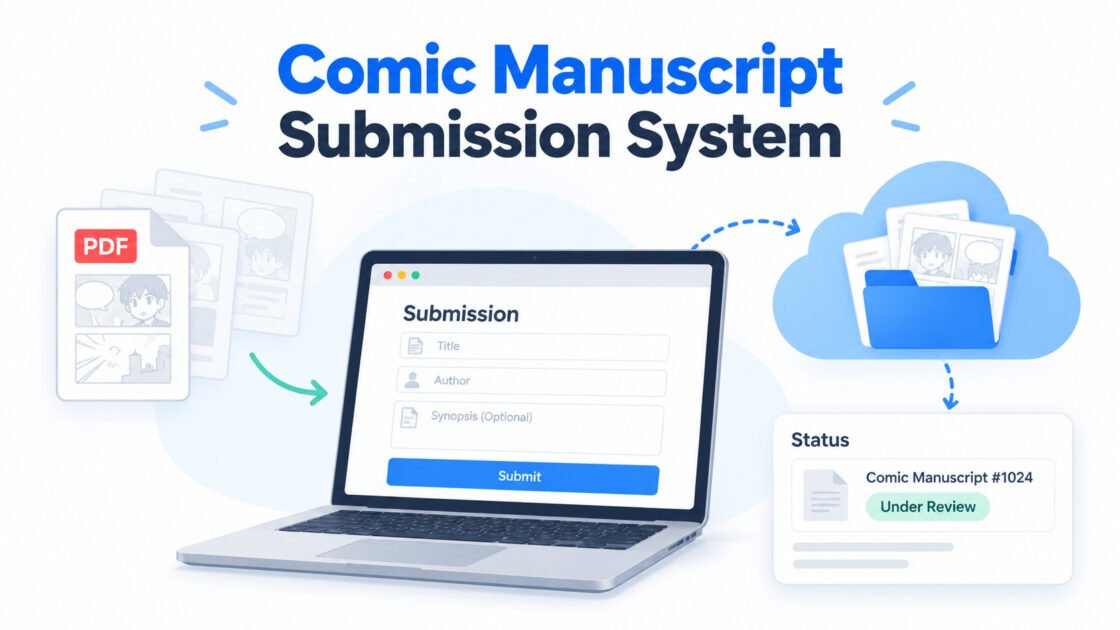
Comic Manuscript Submission System with WordPress & Google Drive
Managing comic manuscript submissions manually can quickly become complicated. In the previous workflow, incoming manuscripts had to be checked from email, contributor information had to be copied into a spreadsheet, PDF files had to be uploaded manually to Google Drive, and the editorial team had to communicate manuscript status separately. This process took time and increased the risk of duplicate data, misplaced files, and missed updates.
To solve this problem, I built a WordPress-based Comic Manuscript Submission System that automates most of the workflow. Contributors can submit their manuscripts directly from the website, receive a unique manuscript ID, track their submission status, while the editorial team can review and manage everything from the WordPress dashboard. Manuscript files and submission records are also synchronized with Google Drive.
System Requirements
The system is designed to work with an existing WordPress website, so it does not require a separate application or dashboard.
The main requirements are:
- A WordPress website
- A custom WordPress plugin for manuscript management
- Google Drive API access
- Google OAuth credentials
- A Google Drive folder for storing manuscript files
- A Google account authorized to access the Drive folder
- PHP and MySQL, which are already included in most WordPress hosting environments
The submission form accepts PDF files only to keep manuscript formats consistent.
By default, contributors can upload up to:
- 5 PDF files
- 5 MB per file
However, these limits can be changed by the administrator from the WordPress dashboard without editing the plugin code.
This makes the system flexible if the submission rules change later.
How the System Works
1. The Contributor (Children) Submits a Manuscript
The contributor opens the manuscript submission page on the website and fills in the required information.
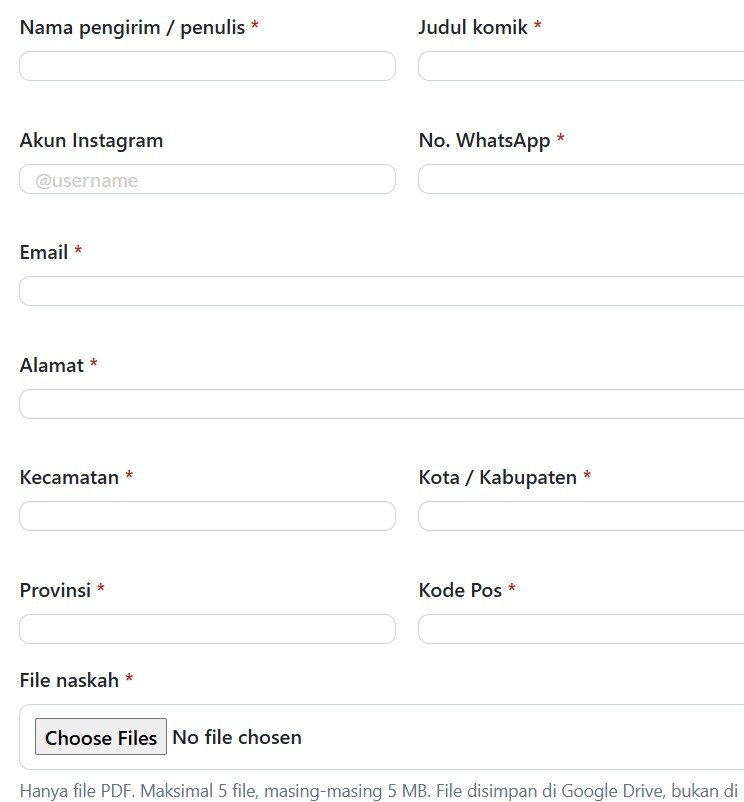
Before the submission is accepted, the system checks:
- whether all required fields are filled in;
- whether the uploaded files are PDFs;
- whether the number of files is within the administrator’s limit;
- whether each file is within the maximum allowed size.
Validation is performed both in the browser and on the server.
This is important because browser-side validation alone can be bypassed.
2. The System Generates a Unique Manuscript ID
After a successful submission, the system automatically generates a unique manuscript ID.
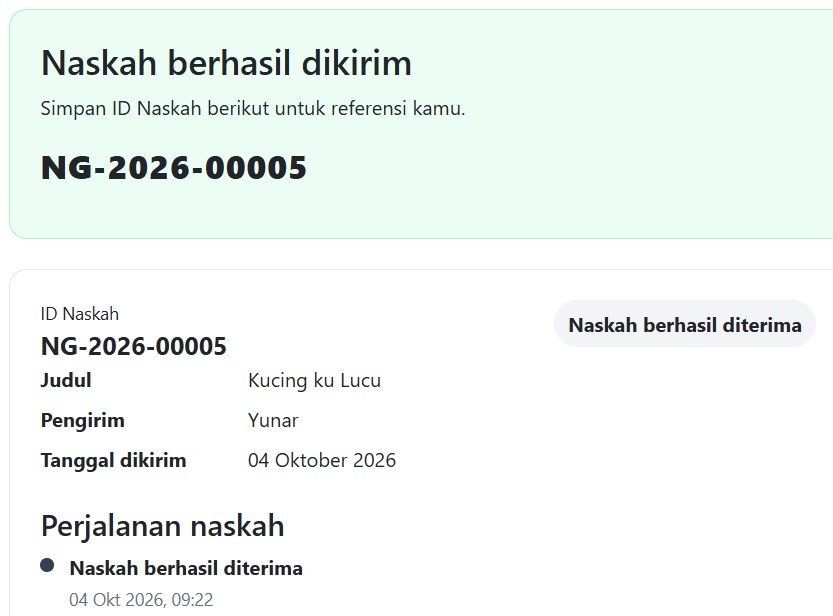
This ID becomes the main reference for the manuscript throughout the entire review process.
3. PDF Files Are Uploaded Directly to Google Drive
To save server storage and accessibility reason, the uploaded manuscript files are not permanently stored inside the WordPress Media Library. Instead, the system sends them to a predefined Google Drive folder.

This approach has several advantages.
The website storage does not become filled with large PDF files, the editorial team can continue using Google Drive as part of their existing workflow, and manuscript files remain separated from the public WordPress media library.
If the Google Drive upload fails, the system does not silently accept the manuscript as successfully uploaded.
This prevents the database from showing a successful submission when the actual manuscript file is missing.
4. Submission Data Is Stored in the WordPress Database
The system stores the submission information in the WordPress database.
A manuscript record may contain information such as:
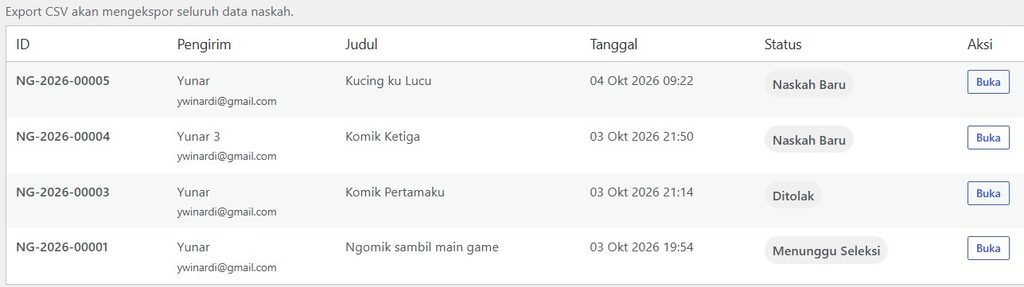
The WordPress database remains the primary source of truth for the system.
Google Drive acts as document storage and an external copy of the submission data.
This is safer than using a spreadsheet as the primary database because the system can rebuild external reports whenever necessary.
5. Contributors Can Check Their Status at Any Time
Later, contributors can return to the status page and enter:
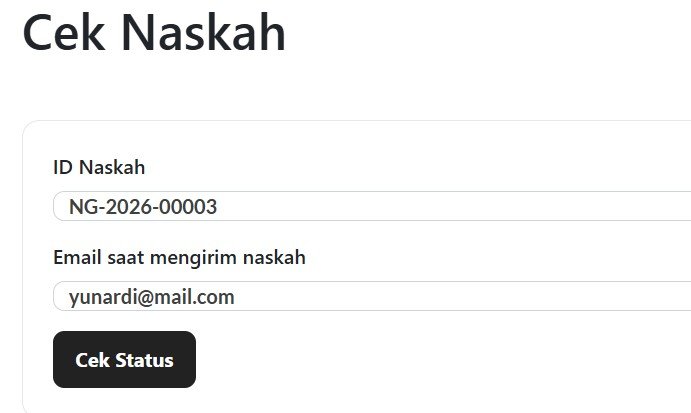
If the information matches the submission record, the website displays the current manuscript status.
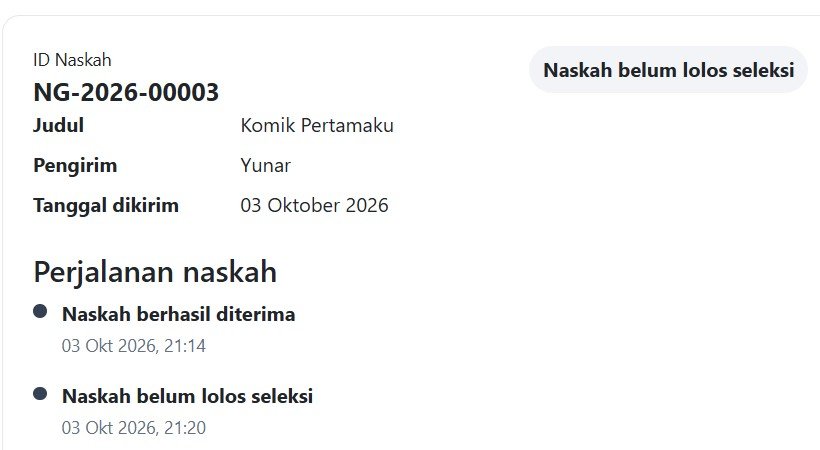
This greatly reduces the need for contributors to contact the team through WhatsApp, email, or Instagram just to ask:
“Has my manuscript been reviewed yet?”
6. The Editorial Team Reviews Manuscripts from WordPress
The editorial team has its own manuscript management dashboard inside WordPress.
The dashboard can be accessed by administrators and designated manuscript reviewers.
Each submission contains the manuscript details, Google Drive file links, current status, and editorial notes.
A reviewer can update a manuscript from:
New Manuscript
      ↓
Waiting for Review
      ↓
Under Review
and eventually choose:
Acceptedor:
Not AcceptedAdditional statuses can also be used when needed, such as:
Revision Required
Further Processing
In Production
This gives the team a clear overview of where every manuscript currently stands.
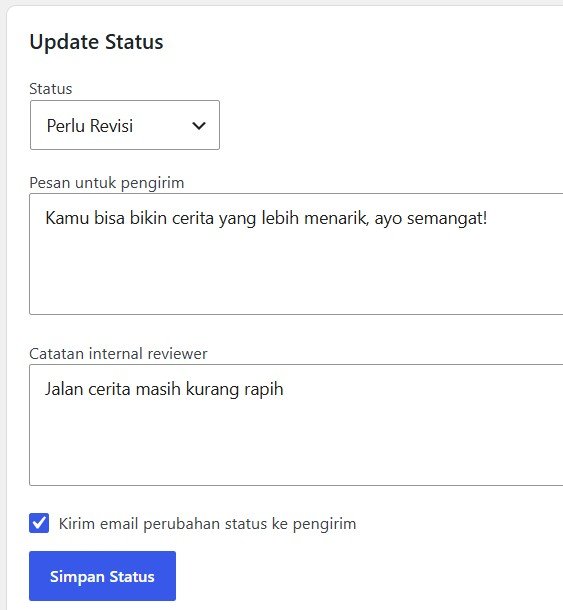
7. Internal Notes and Contributor Messages Are Separated
The system separates editorial notes from messages that can be shown to contributors.
For example, the reviewer might write an internal note such as:
Story concept is interesting, but the panel flow
needs improvement.
This note is intended only for the internal editorial team.
A separate contributor message can contain something more appropriate, such as:
Thank you for submitting your work.

Your manuscript has not been selected for the
next stage, but we encourage you to keep creating
and submit another story in the future.
Keeping these fields separate prevents internal editorial comments from accidentally becoming visible to contributors.
8. Status Changes Are Recorded
The system keeps a history of manuscript status changes.
For example:
October 3
Manuscript Received

October 4
Waiting for Review

October 7
Under Review

October 10
Accepted
This provides an audit trail for the editorial team.
If someone asks when a manuscript was reviewed or who changed its status, the information can be traced more easily.
9. Submission Data Is Also Synchronized to Google Drive
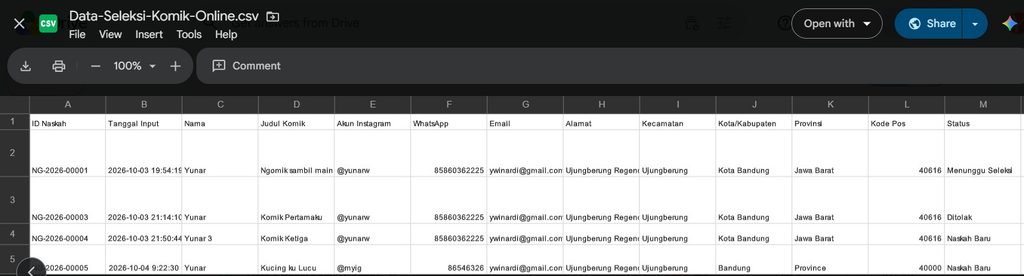
In addition to storing PDFs in Google Drive, the system maintains a master submission file.
For example:
Data Seleksi Komik Online.csv
The CSV file contains information such as:
- Manuscript ID
- Submission date
- Author name
- Comic title
- Address
- District
- City/Regency
- Province
- Postal code
- Current status
- Reviewer
- Review date
- Editorial notes
- Last updated date
- Google Drive PDF links
Whenever a new manuscript is received or its status changes, the system can update this file.
The administrator can also manually trigger synchronization from WordPress.
This gives the team an additional backup and makes the information easy to access outside WordPress.
10. Manuscript Data Can Be Exported to CSV
The WordPress dashboard also provides an Export CSV feature.
Administrators can export all manuscript submissions for reporting, backup, or further analysis.
If the dashboard is filtered—for example, to show only accepted manuscripts—the CSV export can follow the current filter.
This is useful for workflows involving other departments, such as production or PPIC.
Instead of manually copying selected authors into another spreadsheet, the required data can simply be exported.
Why This Workflow Is Better
The old workflow required several manual steps:
Website
↓
Email
↓
Copy data
↓
Spreadsheet
↓
Download PDF
↓
Google Drive
↓
Notify reviewer
↓
Wait for review result
↓
Update spreadsheet again
The new workflow becomes:
Website Submission
        ↓
Unique Manuscript ID
        ↓
Database
        ↓
PDF → Google Drive
        ↓
Submission Data → Google Drive
        ↓
Reviewer Dashboard
        ↓
Status Update
        ↓
Contributor Checks Status
The system does not completely remove Google Drive from the workflow. Instead, it integrates Google Drive directly into the submission process.
This is important because the editorial team can continue working with familiar tools while the repetitive administrative tasks are automated.
Conclusion
A manuscript submission system does not need to be a large standalone application. By combining WordPress, a custom plugin, a structured database, and Google Drive, an existing website can become a complete manuscript management platform.
The biggest improvement is not simply the online submission form. It is the connection between every part of the process.
The contributor submits once, the system creates a unique manuscript ID, PDFs are stored automatically in Google Drive, submission data is recorded, reviewers manage the selection process from one dashboard, and contributors can check their own status without repeatedly contacting the editorial team.
For a publishing workflow that receives many submissions, this can significantly reduce repetitive administrative work while making the entire selection process easier to track and manage.