Best CRM Software for Small Businesses in 2026
Choosing a CRM can get complicated fast.
Some platforms are built for sales teams. Others try to combine CRM, marketing, automation, customer support, and reporting in one place.
For a small business, the biggest mistake is usually not choosing a “bad” CRM.
It is choosing one that is too complex, too expensive, or designed for a workflow you do not actually have.
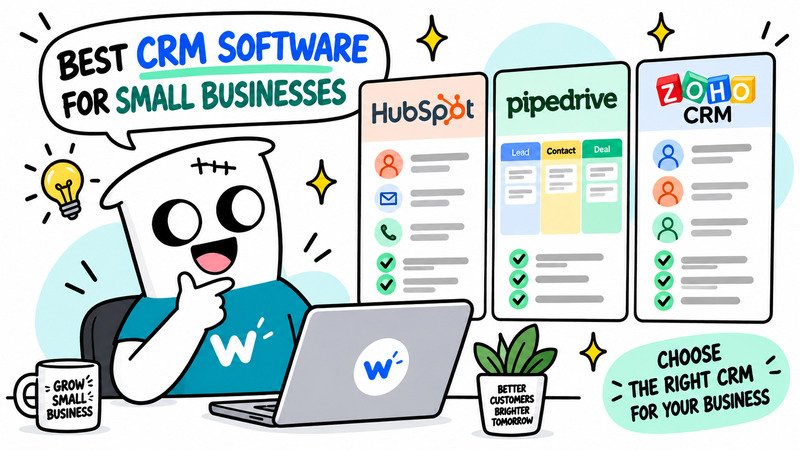
In this guide, we compare three CRM platforms that make sense for different types of small businesses:
- HubSpot
- Pipedrive
- Zoho CRM
The goal is not to find one universal winner.
It is to help you understand which CRM fits the way your business actually sells and manages customers.
Quick Picks
If you want the short version:
HubSpot
Best for businesses that want a free starting point and room to expand into marketing, sales, and customer service.
Pipedrive
Best for sales-focused teams that mainly need a clear pipeline and simple deal management.
Zoho CRM
Best for businesses that want more customization and access to a wider business software ecosystem.
CRM Comparison at a Glance
| CRM | Best For | Free Plan | Starting Price | Difficulty |
|---|---|---|---|---|
| HubSpot | Businesses that want an all-in-one ecosystem | Yes | $20/mo/seat | Medium |
| Pipedrive | Sales-focused small teams | No | $14/user/mo billed annually | Easy |
| Zoho CRM | Custom workflows and broader business operations | Yes | Check pricing | Medium |
Pricing and plan details can change, so check the latest information on each product’s official website before purchasing.
Do Small Businesses Really Need a CRM?
Not every small business needs one immediately.
If you have five customers and manage everything comfortably from email and a spreadsheet, a CRM may create more work than it saves.
A CRM starts becoming useful when customer information becomes difficult to manage manually.
For example:
- leads are getting forgotten
- follow-ups are inconsistent
- several people talk to the same customer
- deals are difficult to track
- customer history is spread across email, WhatsApp, spreadsheets, and notes
- you cannot clearly see what is happening in your sales pipeline
At that point, a CRM becomes less about “having software” and more about creating one reliable place for customer information.
1. HubSpot — Best for an All-in-One Starting Point
HubSpot is one of the easiest CRM platforms to recommend to a small business that is not yet sure how much CRM it actually needs.
Its biggest advantage is not just the CRM itself.
It is the ecosystem around it.
HubSpot connects CRM with tools for:
- sales
- marketing
- customer service
- forms
- automation
- reporting
That means a small business can start relatively simple and expand later without immediately moving to another platform.
Why HubSpot stands out
HubSpot works particularly well when your customer journey is not limited to sales.
For example, one business may want to:
- capture leads from a website
- send marketing emails
- track sales opportunities
- manage customer conversations
- report on customer activity
HubSpot can keep those workflows inside one ecosystem.
What we like
- free CRM entry point
- broad marketing and sales ecosystem
- good fit for growing businesses
- many integrations
- useful contact and deal management
- easy to connect forms, email, sales, and customer data
What to consider
The biggest issue is cost as your needs grow.
HubSpot can look inexpensive at the beginning, but advanced automation, reporting, and marketing features can move you into significantly more expensive plans.
It is therefore important to evaluate not only:
What does HubSpot cost today?
but also:
What will we need from HubSpot six or twelve months from now?
HubSpot is best for
- small businesses that want to start with a free CRM
- marketing-led businesses
- teams that want sales and marketing in one ecosystem
- companies expecting their CRM needs to grow
Skip HubSpot if
- you only need a simple sales pipeline
- you do not plan to use its broader ecosystem
- you want predictable low-cost pricing as the team grows
2. Pipedrive — Best for Sales-Focused Teams
Pipedrive takes a much more focused approach.
Instead of trying to become your entire marketing and customer platform, it is built primarily around:
sales pipelines and deals
That makes it easier to understand for small teams whose main problem is simply:
“We need to know which deals are active, what happens next, and who is responsible.”
Why Pipedrive stands out
The visual pipeline is the center of the product.
Deals move through stages, making it easy to see:
- new opportunities
- active conversations
- follow-ups
- proposals
- deals close to winning
- deals that need attention
For a small sales team, that simplicity can be more useful than having dozens of extra features.
What we like
- very clear visual pipeline
- simple deal tracking
- easy to understand
- activity reminders
- good for sales workflows
- less overwhelming than larger CRM suites
What to consider
Pipedrive is primarily a sales CRM.
If you also need advanced:
- marketing automation
- customer service
- content management
- large-scale email marketing
you may need additional tools.
That can either be an advantage or a disadvantage.
Some businesses prefer specialized tools.
Others prefer one platform that does everything.
Pipedrive is best for
- small sales teams
- B2B businesses
- service businesses with a clear sales process
- teams that prioritize pipeline visibility
Skip Pipedrive if
- marketing automation is more important than sales tracking
- you want one platform for marketing, sales, and support
- your business does not really use a deal-based sales pipeline
3. Zoho CRM — Best for Customization and Business Ecosystem
Zoho CRM makes sense for a different type of small business.
Its strength is the combination of:
- CRM functionality
- customization
- automation
- integration with the larger Zoho ecosystem
Zoho offers software for many other business functions, including accounting, email, support, projects, analytics, and more.
For a business that already uses or plans to use several Zoho products, that can be a major advantage.
Why Zoho CRM stands out
Zoho CRM gives businesses more flexibility in how they structure their CRM.
It can support:
- custom fields
- workflows
- lead management
- sales pipelines
- automation
- reporting
This flexibility makes it suitable for businesses whose sales process does not fit a very simple pipeline.
What we like
- flexible customization
- strong automation options
- broad Zoho ecosystem
- free entry option
- suitable for more complex workflows
What to consider
More flexibility usually means more setup.
Zoho CRM can take longer to understand than something like Pipedrive.
Small businesses should be careful not to spend too much time customizing the CRM before they actually understand their sales process.
Zoho CRM is best for
- businesses that need custom workflows
- companies already using Zoho products
- teams that want a broader business software ecosystem
- businesses with more complex CRM requirements
Skip Zoho CRM if
- you want the simplest possible CRM
- your sales process is extremely straightforward
- you do not need much customization
HubSpot vs Pipedrive vs Zoho CRM
The easiest way to choose is to focus on what your business is actually trying to improve.
Choose HubSpot if you want sales and marketing connected
HubSpot makes the most sense when CRM is part of a larger customer acquisition workflow.
For example:
Website visitor
→ form submission
→ marketing email
→ sales lead
→ deal
→ customer
Keeping those stages inside one ecosystem can simplify reporting and customer data.
Choose Pipedrive if your main problem is sales pipeline management
If your biggest questions are:
Which deals are active?
Who needs a follow-up?
What is likely to close this month?
then Pipedrive is probably the cleanest fit.
You are not paying primarily for a broad marketing ecosystem.
You are paying for better visibility into sales.
Choose Zoho CRM if you need customization
Zoho CRM becomes more interesting when your workflow does not fit a standard CRM setup.
It is particularly useful when you want to customize how customer data, processes, and automation work.
Best CRM by Situation
| Situation | CRM to Consider |
|---|---|
| Free starting point | HubSpot |
| Sales pipeline management | Pipedrive |
| Marketing + CRM | HubSpot |
| Custom workflows | Zoho CRM |
| Growing business ecosystem | HubSpot / Zoho CRM |
| Simple sales team | Pipedrive |
| More complex CRM setup | Zoho CRM |
This table should be used as a starting point, not as a universal ranking.
What Should a Small Business Look for in a CRM?
Before comparing feature lists, answer a few simpler questions.
1. What problem are you trying to solve?
Do you need:
- lead management?
- sales tracking?
- follow-up reminders?
- marketing automation?
- customer service?
- contact history?
If the problem is unclear, the CRM decision will also be unclear.
2. How many people will use it?
A CRM priced per user can become much more expensive as your team grows.
A product that looks affordable for two users may become expensive for ten.
Always calculate:
monthly price × number of users × 12 months
before committing.
3. Do you need marketing features?
This is one of the biggest differences between CRM products.
If marketing and sales need to work closely together, a broader platform such as HubSpot may make sense.
If you already have dedicated marketing tools, a more focused sales CRM such as Pipedrive may be enough.
4. How much customization do you really need?
Customization sounds useful.
But every custom field, workflow, and automation also creates more maintenance.
Small businesses should usually start with the simplest workable CRM setup and add complexity only when necessary.
5. Can your team actually use it?
The most powerful CRM is useless if nobody updates it.
A simpler CRM that people actually use consistently is usually more valuable than a complex platform with better features.
Free CRM vs Paid CRM
A free CRM can work surprisingly well for a small business.
Start with a free option if:
- your team is small
- your pipeline is simple
- you are still learning how you want to use CRM
- you do not need advanced automation or reporting
A paid plan starts becoming more valuable when you need:
- more users
- better reporting
- automation
- sales forecasting
- advanced permissions
- additional integrations
- more customization
The important thing is to upgrade because of a real limitation, not because a paid plan has a longer feature list.
Common CRM Mistakes Small Businesses Make
Buying Too Much CRM
A small business with a simple sales process does not need enterprise-level complexity.
Start with the workflow you have today.
Not the workflow you imagine having five years from now.
Treating CRM as an Address Book
A CRM should do more than store names and email addresses.
It should help answer:
What happened with this customer?
What happens next?
Who is responsible?
Not Defining a Sales Process First
Software cannot fix a sales process that nobody understands.
Before customizing a CRM, define basic stages such as:
Lead
→ Qualified
→ Proposal
→ Negotiation
→ Won / Lost
Then let the CRM support that process.
Ignoring Adoption
The biggest CRM problem is often not software.
It is people not using the system consistently.
Choose something your team can realistically maintain.
Final Thoughts
There is no single CRM that is best for every small business.
HubSpot is a strong starting point if you want CRM, sales, and marketing to live inside one ecosystem.
Pipedrive is a better fit when sales pipeline management is the main priority.
Zoho CRM makes more sense when customization and a broader business software ecosystem matter.
Instead of choosing the CRM with the longest feature list, ask:
Which CRM solves the customer-management problem we actually have today?
That question will usually lead to a better decision.
You can also browse all CRM software, compare products using the WiseTechList Compare Tool, or use the Software Finder if you are still unsure.
FAQ
What is the best CRM for a small business?
There is no universal best CRM. HubSpot is a good fit for businesses that want an all-in-one ecosystem, Pipedrive is strong for sales pipeline management, and Zoho CRM works well for businesses that need more customization.
Is a free CRM enough for a small business?
It can be. A free CRM is often enough for small teams with simple contact and sales tracking needs. Paid plans become more useful when you need advanced automation, reporting, permissions, or larger teams.
What is the easiest CRM for a small business?
Pipedrive is relatively straightforward for sales-focused workflows because its interface centers around visual pipelines. HubSpot is also approachable for businesses starting with basic CRM functionality.
Is HubSpot better than Pipedrive?
They solve slightly different problems. HubSpot offers a broader marketing, sales, and service ecosystem, while Pipedrive focuses more heavily on sales pipeline and deal management.
Is Zoho CRM good for small businesses?
Yes, especially for businesses that want customization, automation, or integration with other Zoho business applications.
Tools covered in this guide
HubSpot · Pipedrive · Zoho CRM · Freshsales
Related comparisons: HubSpot vs Pipedrive · HubSpot vs Zoho CRM · Pipedrive vs Zoho CRM