

Notion vs Trello
Notion vs Trello: Which Should You Choose?
Notion and Trello both have a free plan and both list annual pricing per person. What they ask of you is different. Notion is rated Medium and lists a team wiki, databases, and knowledge search. Trello is rated Easy, has a free trial, and lists Kanban boards, editorial calendars, and personal productivity. The choice depends on whether your team needs a shared knowledge base or a simple board to move tasks along.
Choose based on how you work
Choose Notion if…
Choose Notion if your existing documents and databases should be the context for agent-assisted research and operational work.
View Notion details →Choose Trello if…
Choose Trello if you want a simple visual board for tasks and projects that people can learn quickly with very little configuration.
View Trello details →See the products side by side
Compare the actual interfaces to see how each tool approaches everyday work.
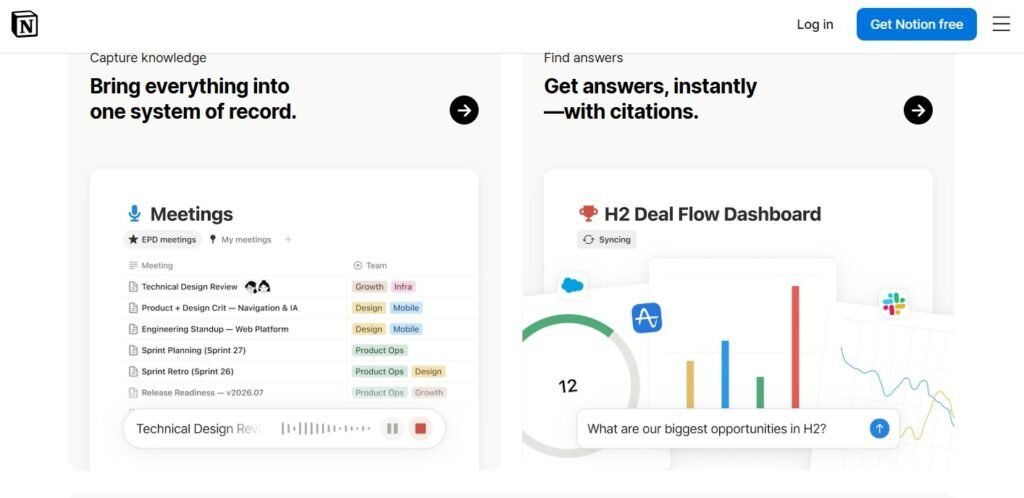
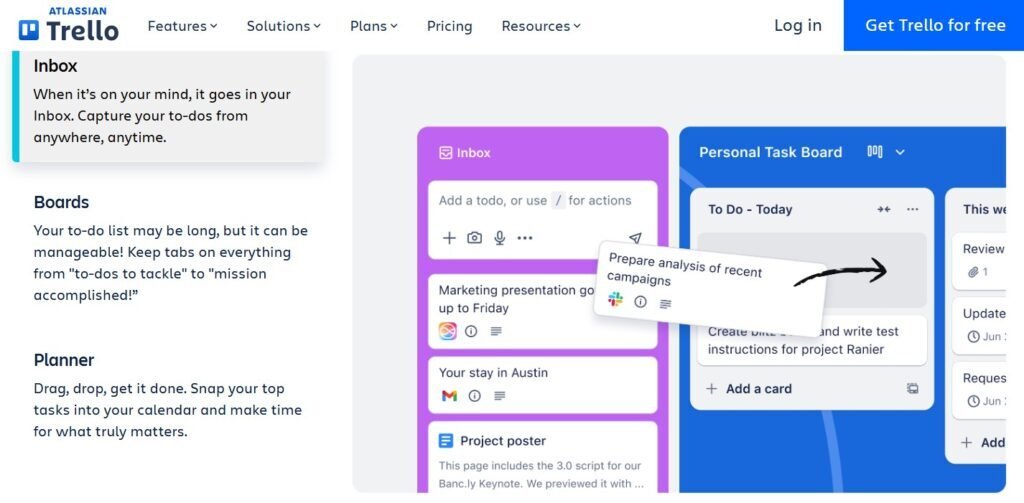
Notion vs Trello comparison
| Compare | Notion | Trello |
|---|---|---|
| Starting price | $10/member/mo billed annually | $5/user/mo billed annually |
| Free plan | Yes | Yes |
| Free trial | No | Yes |
| Difficulty | Medium | Easy |
| Best for | Teams needing a shared knowledge hub plus agents that can research, update workspace content, and create outputs using contextual data. | Individuals and small teams that want simple, visual Kanban-style project and task management without a heavy setup process. |
| Key strength | Workspace knowledge and databases connected to Notion Agents, enterprise search, AI meeting notes, file creation, and selected computer/browser tasks. | Very easy to understand and adopt, with a flexible board-and-card model that works for many lightweight workflows. |
| Main limitation | Notion Agent capabilities and credits depend on subscription; long-running tasks still require permission controls and Notion workspace data needs good structure. | It becomes less suitable when teams need advanced reporting, portfolio management, workload planning, or complex dependencies. |
| Last checked | Nov 2026 | Oct 2026 |
Where each tool wins
Where Notion wins
- A team wiki is a listed use case, and Trello's list does not include it.
- Database creation and updates are a listed use case, and Trello's list has no equivalent.
- Docs and databases live together in one workspace, as the pros list puts it.
- Reusable workspace knowledge is named as a strength, which suits teams that keep a lot of written material.
- Cross-app research is a listed use case, and Trello's list does not mention it.
Where Trello wins
- The listed price is lower: $5/user/mo, against $10/member/mo for Notion, both billed annually.
- A free trial lets you test a paid plan, and Notion has none.
- It is rated Easy against Medium, and Notion's page says workflows may require configuration.
- Editorial calendars and personal productivity are listed use cases, and Notion's list has neither.
- Unlimited Power-Ups per board are listed on the free plan, and good mobile apps are named in the pros list.
What can you use them for?
Notion
- Team wiki
- Knowledge search
- Notion Agents
- Database creation and updates
- AI meeting notes
- File and slide creation
- Cross-app research
- Project automation
Trello
- Kanban project management
- Editorial calendars
- Personal productivity
- Marketing workflows
- Simple team planning
- Task tracking
Trade-offs to consider
Notion
What we like
- Docs and databases together
- Notion Agents
- Connected enterprise search
- AI meeting capture
- File and deliverable creation
- Reusable workspace knowledge
What to consider
- AI credits and plans vary
- Agent permissions need oversight
- Messy workspace data degrades results
- Not a rigid project management suite
- Workflows may require configuration
Trello
What we like
- Very easy to learn
- Generous free plan
- Flexible Kanban boards
- Unlimited Power-Ups per board on Free
- Useful automation
- Good mobile apps
What to consider
- Limited advanced reporting
- Weak portfolio and resource planning compared with larger platforms
- Large boards can become difficult to manage
What decides it
Notion or Trello?
Notion
Choose it if: Choose Notion if your existing documents and databases should be the context for agent-assisted research and operational work.
Skip it if: Skip Notion if you only want simple personal notes or need a fully deterministic process engine without agent uncertainty or usage costs.
Trello
Choose it if: Choose Trello if you want a simple visual board for tasks and projects that people can learn quickly with very little configuration.
Skip it if: Skip Trello if you need complex dependencies, portfolio reporting, workload management, detailed project analytics, or sophisticated cross-project planning.
Frequently asked questions
Which one is cheaper?
Trello is listed at $5/user/mo and Notion at $10/member/mo, both billed annually.
Do they have a free plan or trial?
Both have a free plan. Trello also has a free trial, and Notion does not.
Which one is easier to learn?
Trello is rated Easy and Notion is rated Medium. Notion's page says workflows may require configuration.
Which one is better for a team wiki?
Notion lists a team wiki, knowledge search, and reusable workspace knowledge. Trello's use case list does not include them.
Which one is better for Kanban boards?
Trello lists Kanban project management and flexible Kanban boards. Notion's use case list does not include Kanban.
Which one is better for databases?
Notion lists database creation and updates and docs and databases together. Trello's list does not include databases.
Which one has AI features?
Notion lists Notion Agents and AI meeting notes, and its page says AI credits and plans vary. Trello's page lists no AI features.
Does either one handle project management?
Trello lists Kanban project management and simple team planning. Notion's page says it is not a rigid project management suite.
Which one has mobile apps?
Trello lists good mobile apps in its pros. Notion's list does not mention them.
Who should skip each one?
Skip Notion if you only want simple personal notes or need a fully deterministic process engine without agent uncertainty or usage costs. Skip Trello if you need complex dependencies, portfolio reporting, workload management, detailed analytics, or sophisticated cross-project planning.
Compare any two tools
Use the interactive comparison tool for combinations that do not have a permanent guide yet.